Installation Guide
Getting set up on the Demonstrator server is quick and easy. We use Prism Launcher for mod management and Packwiz to keep your client automatically updated.
Prerequisites
Before you begin, make sure you have:
- A legitimate Minecraft account (Java Edition)
- About 8GB of RAM available for Minecraft (And at least 8gb for your OS)
Step 1: Install Prism Launcher (Version 9+)
Prism Launcher is a free, open-source Minecraft launcher that makes managing modpacks easy.
- Visit prismlauncher.org and download the latest version for your operating system
- Run the installer and follow the prompts
- Open Prism Launcher and sign in with your Minecraft account
Step 2: Import the Modpack
- In Prism Launcher, click Add Instance
- Select Import from the left sidebar
- Copy and paste this link into the direct download field: https://demonstrator-pack.crittafur.party/Demonstrator.zip
- Click OK to import
Step 3: Set Up Java 25
Our modpack requires Java 21, but runs better on Java 25. Prism Launcher can download this for you automatically.
- In Prism Launcher, select the pack we just imported and select Edit
- Select Settings from the sidebar, and you should see the Java tab
- Click Open Java Downloader
- Select Java 25 from the list (You’ll have to uncheck the recommended version box)
- Click Download and wait for it to complete
- Now you can click Detect and select the version you just downloaded
Tip: Make sure you allocate at least 6GB of RAM in the Java settings. 8GB is recommended.
Step 4: Launch and Connect
- Select the Demonstrator instance in Prism Launcher
- Click Launch
- Wait for the game to load (first launch may take a few minutes)
- Connect to the server using the address saved in the instance
Staying Updated
Your client will automatically check for mod updates when you launch. If updates are available, they’ll be downloaded automatically thanks to Packwiz.
No manual updates required!
Troubleshooting
Game won’t launch
- Make sure Java 21/25 is selected in settings
- Try allocating more RAM (6-8GB recommended)
- Check the Prism Launcher log for errors
Java Virtual Machine errors
If you get this error:
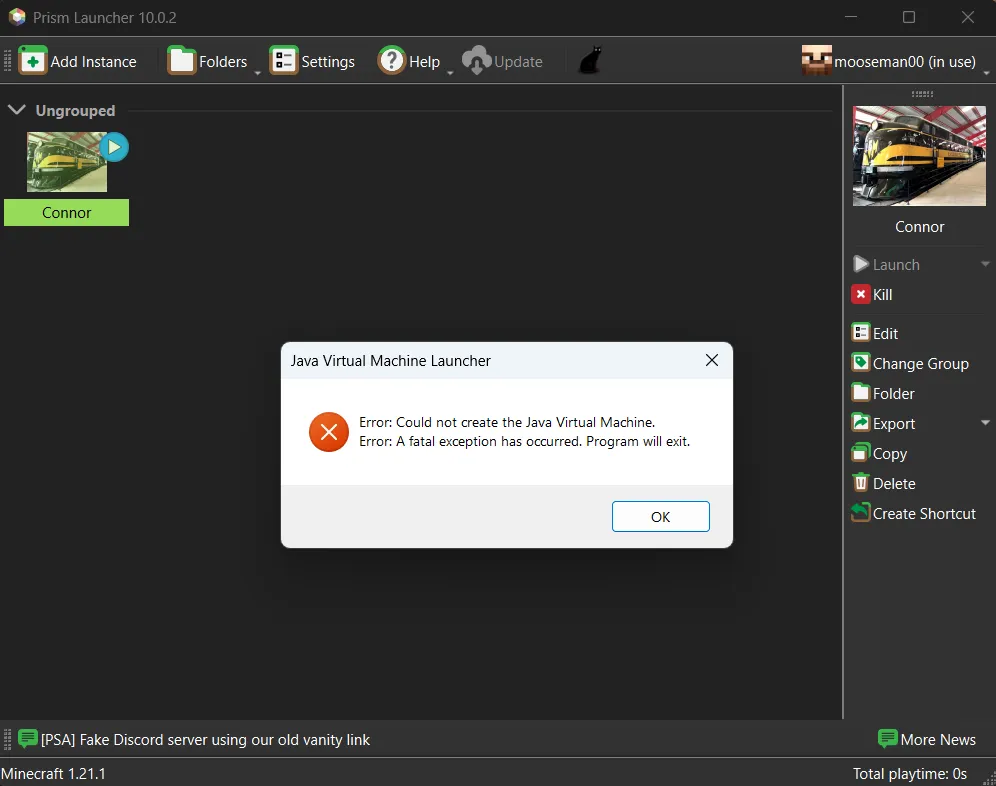
Go back and follow Step 3 again.
Mods not loading
- Verify the instance imported correctly
- Try deleting and re-importing the instance
Can’t connect to server
- Make sure you’re using the correct version
- Check that all mods downloaded successfully
Need more help? Reach out on Discord.